

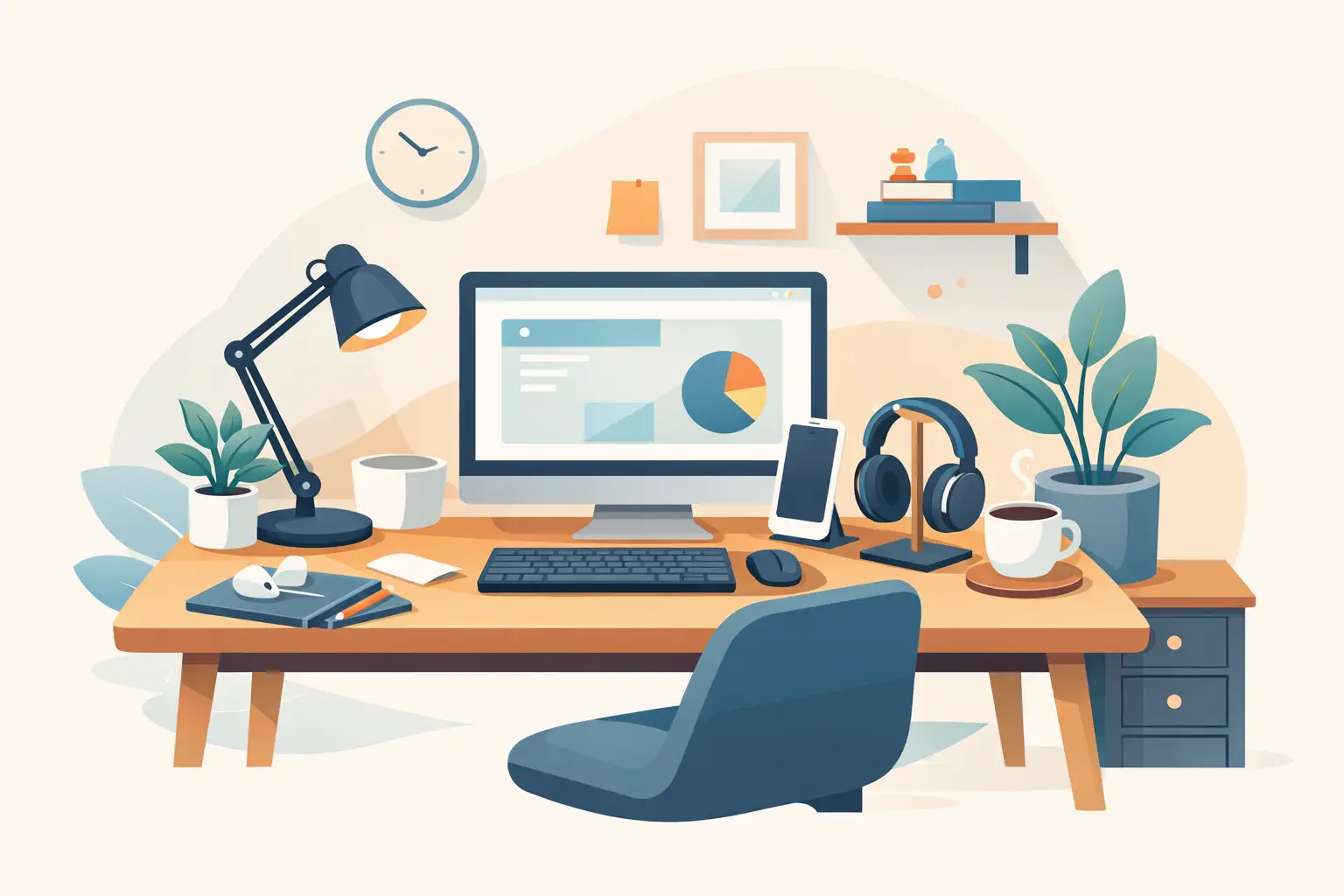
A cluttered desk can make even a short email feel like a long shift. The good news is that you do not need a full furniture makeover or a premium tech budget to build a space that feels more organized, comfortable, and ready for work. A few affordable home office accessories can improve the way your desk looks, functions, and supports your daily routine.
The smartest approach is not buying every trending desk gadget at once. Start with the friction points you notice every day: tangled charging cords, poor lighting, a chair that leaves you stiff, papers that disappear under notebooks, or a laptop screen that sits too low. Small upgrades aimed at real problems usually deliver the best value.
Affordable Home Office Accessories Worth Buying First
A productive setup is less about matching colors and more about making your work easier. Prioritize accessories that improve comfort, organization, or device usability. These are the purchases that continue to earn their place on the desk after the excitement of a new delivery wears off.
Start with better desk lighting
Overhead room lighting is often too dim, too harsh, or positioned in a way that creates shadows across your keyboard and paperwork. A compact desk lamp with an adjustable neck gives you focused light exactly where you need it. It is a simple upgrade for late-night tasks, video calls, studying, and detailed work such as writing, drawing, or reviewing documents.
Look for an LED model to keep energy use low. Adjustable brightness is useful if your workspace serves several jobs throughout the day. Bright, cool-toned light can help when you need to concentrate, while a softer setting makes an evening work session feel less glaring. If you share a space with family or roommates, a directed lamp is also more considerate than flooding the whole room with light.
Raise your screen, not your shoulders
Laptop stands are among the most practical low-cost desk upgrades. When a laptop sits flat on a table, you naturally bend your neck toward the screen. A basic stand lifts the display closer to eye level and can free up room underneath for a keyboard, notebook, or small storage tray.
This accessory works best when you already use, or can add, an external keyboard and mouse. Otherwise, raising the laptop may put your wrists at an awkward angle. A foldable stand is a good choice for smaller homes, dorm rooms, and anyone who moves between the kitchen table, couch, and a dedicated desk. For a desktop monitor, consider a simple monitor riser with storage space below instead.
Give cables a designated home
Loose cables make a workstation look messy fast, but the bigger issue is inconvenience. A charger that slips behind the desk or a power cord tangled around your chair interrupts the day for no good reason. Cable clips, sleeves, ties, and small cable boxes are inexpensive fixes that make a noticeable difference.
Choose clips for cords you reach for constantly, such as your phone charger or headphones. Use reusable hook-and-loop ties to bundle cables that stay in place, including monitor, printer, and power-strip cords. A cable-management box can conceal a power strip and reduce the visual clutter near the floor. Be careful not to pack adapters too tightly, especially if they run warm.
Add a mouse pad with real support
A mouse pad is easy to overlook until your mouse skips, your desk surface gets worn, or your wrist starts resting against a hard edge. A larger pad creates a consistent, smooth area for navigation and can visually pull a desk setup together. It also protects wood, glass, and painted surfaces from everyday scuffs.
Wrist-rest pads can be helpful, but they are not automatically right for everyone. The goal is to keep your wrist fairly neutral, not bent upward over a thick cushion. If you are unsure, start with a standard pad in a size that gives your arm room to move. For gaming, design work, or spreadsheet-heavy jobs, an extended pad that holds both the keyboard and mouse may be worth the extra desk space.
Organize the Supplies You Actually Use
Desk organization should reduce searching, not turn your workstation into a collection of empty containers. Before adding organizers, take a quick inventory of what stays within reach: pens, sticky notes, chargers, mail, files, headphones, and maybe a planner. Then buy storage that matches those items.
A desk tray is ideal for daily papers, while a vertical file holder keeps folders upright and visible. Small drawer organizers can stop office supplies from becoming a jumble. If your desk has no drawers, a compact tabletop organizer or rolling cart can add useful storage without taking over the room.
For most setups, these four accessories cover the basics:
- A catch-all tray for keys, receipts, and daily papers
- A pen cup or divided organizer for small supplies
- A vertical file holder for active documents
- A small drawer unit or storage bin for extras
Avoid buying organizers before deciding what they will hold. A sleek set of matching bins might look great online, but it is not a bargain if it occupies valuable desk space and leaves your real clutter untouched.
Make Your Chair More Comfortable for Less
A quality ergonomic chair can be a bigger investment, and sometimes it is the right one. But if replacing your chair is not realistic right now, a few affordable accessories can make your current seat more comfortable.
A lumbar pillow can support the natural curve of your lower back, especially on dining chairs and basic task chairs. A seat cushion may help if the chair feels too firm or has lost padding over time. Choose a cushion with a non-slip bottom and dimensions that fit your chair, since an oversized option can push you too far forward.
Footrests are another small upgrade with an outsized payoff. If your feet do not rest comfortably on the floor, a footrest can help create a steadier sitting position. You do not need an elaborate model. A compact adjustable option is often enough for a desk that sits slightly too high. Comfort is personal, so treat these accessories as adjustments rather than guaranteed cures for posture problems. Stand up, stretch, and change positions during long work blocks too.
Create a Desk Setup That Looks Intentional
Your office does not need to resemble a showroom, but visual calm can make it easier to settle into work. Pick one or two colors for accessories, such as black and white, warm neutrals, or a brighter accent shade. Then repeat those colors across practical pieces like a desk mat, storage tray, lamp, and cable clips.
A desk mat is especially useful for giving a temporary workspace a more finished look. It defines your work zone, protects the tabletop, and can make a mismatched table and office chair feel more cohesive. Just measure first. A mat that is too large can crowd the keyboard, push supplies to the edge, and make a narrow desk harder to use.
Do not underestimate a simple phone stand, either. Keeping your phone upright can make it easier to see calendar alerts, follow a recipe during a work-from-home lunch, or join a quick video call without balancing it against a coffee mug. If notifications pull your attention away, place the stand off to one side rather than directly in front of you.
Buy for Your Work Style, Not a Trend
The best affordable home office accessories depend on how you work. Someone taking video calls all day may get more value from a phone stand, adjustable lamp, webcam cover, and headphone holder. A student or paper-heavy worker may need file organizers, bookends, labels, and a reading light. A creative professional might prioritize a large desk mat, monitor stand, tablet holder, and cable control.
Before adding an item to your cart, ask one useful question: what problem will this solve three times a week? If the answer is clear, it is likely a practical buy. If the answer is only that it looks good in a desk setup video, wait for a sale or skip it.
At Pendazi, browsing across home, electronics, and lifestyle categories makes it easier to compare everyday desk essentials without turning a simple workspace refresh into a multi-store errand. Watch for seasonal promotions and bundle your must-haves when possible to get more value from your order.
A focused workspace is built one helpful choice at a time. Start with the accessory that removes your biggest daily annoyance, then let the rest of your setup grow around the way you actually work.
Discover more from Pendazi
Subscribe to get the latest posts sent to your email.






Leave a Reply