

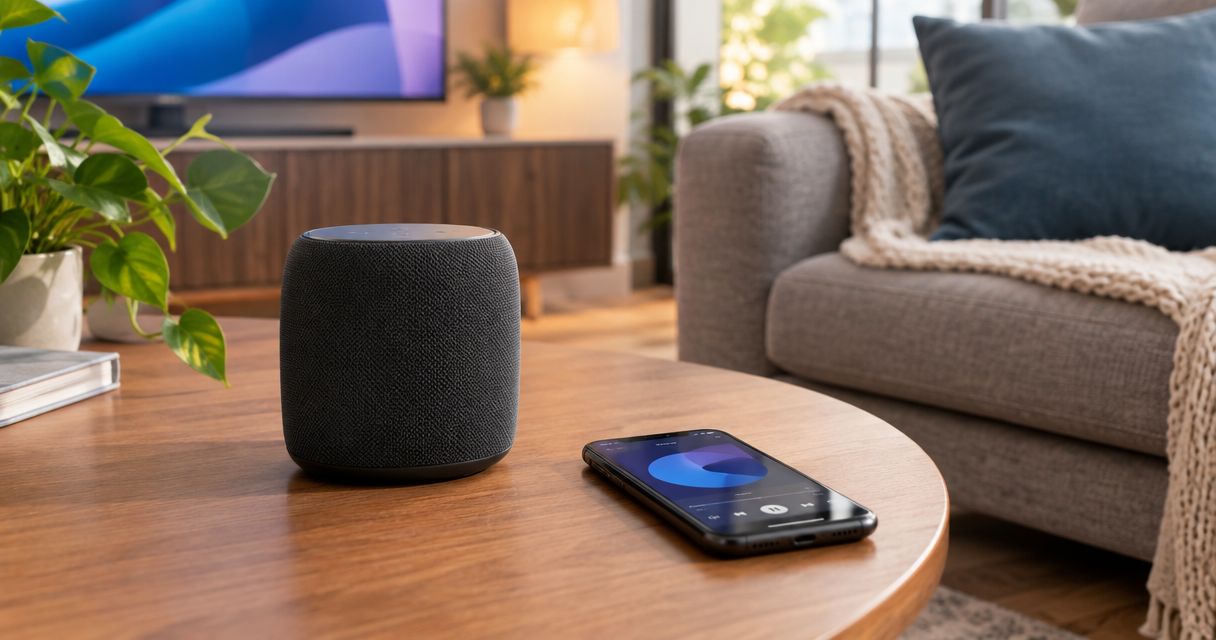
Yes, wireless speakers can work without Wi-Fi if they support Bluetooth, another direct wireless connection, or a wired audio input. Bluetooth does not need internet access, but your music app still needs mobile data or previously downloaded audio if you want to play without Wi-Fi.
- Can wireless speakers work without wifi? Yes: Bluetooth connects a compatible phone directly to a speaker.
- A Wi-Fi-only speaker needs a supported alternative input to play without a wireless network.
- Downloaded audio avoids internet dependence; streaming over Bluetooth still uses your phone’s internet connection.
- Pendazi shoppers should check connection types before choosing a wireless speaker for offline listening.
Can wireless speakers work without Wi-Fi?
Bluetooth speakers work without Wi-Fi because the phone sends audio directly to the speaker. A Wi-Fi-only speaker is different: it needs a wireless network for its network-based playback functions, although internet access and a local network are not the same thing.
When comparing portable wireless speakers, check the connection list rather than relying on the word wireless. For a 2026 purchase, the deciding detail is whether the speaker supports the connection you intend to use.
| Speaker or connection option | Works without Wi-Fi? | Best for | Main limitation |
|---|---|---|---|
| Bluetooth speaker | Yes, through Bluetooth | Direct playback from a compatible phone | Streaming still requires an internet source |
| Wi-Fi-only speaker | Not through its Wi-Fi functions | Listening through a home network | No direct Bluetooth fallback unless specified |
| Speaker with Bluetooth and Wi-Fi | Yes, in Bluetooth mode | Switching between home and portable listening | Features can differ between connection modes |
| Speaker with an auxiliary input | Yes, through a compatible audio cable | Playback without a wireless connection | Requires compatible ports or an adapter |
A speaker can support more than one option in this table. Check the exact model’s instructions: a charging port, voice assistant, or wireless label does not establish which audio inputs it supports.
Why this matters
Losing Wi-Fi does not always mean losing music. The problem is often the audio source rather than the speaker: a Bluetooth connection can remain active while a streaming app stops because it cannot reach the internet.
Separate those two connections before troubleshooting. Your phone needs a path to the speaker, and an online music service needs a path to the internet; downloaded files remove the second requirement.
For offline listening in 2026, choose the playback method first and the extra features second. That prevents you from buying a network-dependent speaker for a place where you will not have a network.
Bluetooth: direct playback without a router
Bluetooth sends audio between compatible devices without routing it through your home Wi-Fi network. In a basic setup, your phone is the source and your speaker is the output: two devices with different jobs.
Bluetooth operates in the 2.4 GHz radio band, which some Wi-Fi networks also use. Sharing a radio band does not mean Bluetooth needs a Wi-Fi connection, a router, or an internet subscription.
Best for: listening from a nearby phone, tablet, or computer without a router. Bluetooth is a direct option for playing downloaded music or audio stored on your device.
The trade-off is that the source device needs to stay within a usable connection range. Walls, interference, and the devices themselves affect reliability, so do not assume a connection that works across a desk will work throughout your home.
Also check what happens when the source device receives calls or notifications. Audio behavior depends on the phone, app, and speaker, so test your intended setup before relying on it for a gathering.
Wi-Fi: a local network is not the internet
Wi-Fi connects devices to a wireless local network, usually through a router. The router’s internet connection is a separate part of the setup; a home network can remain active during an internet outage.
Some network speakers support playback from local sources without internet access. Others depend on online services, account access, or an app for particular functions, so local Wi-Fi alone does not guarantee playback.
Best for: supported network-based listening at home. The limitation is dependence on the speaker’s specific network features, not simply whether the router is switched on.
For a 2026 buying decision, look for an explicit description of local playback. Do not treat support for a streaming service as proof that the speaker can play files from your computer when the internet is down.
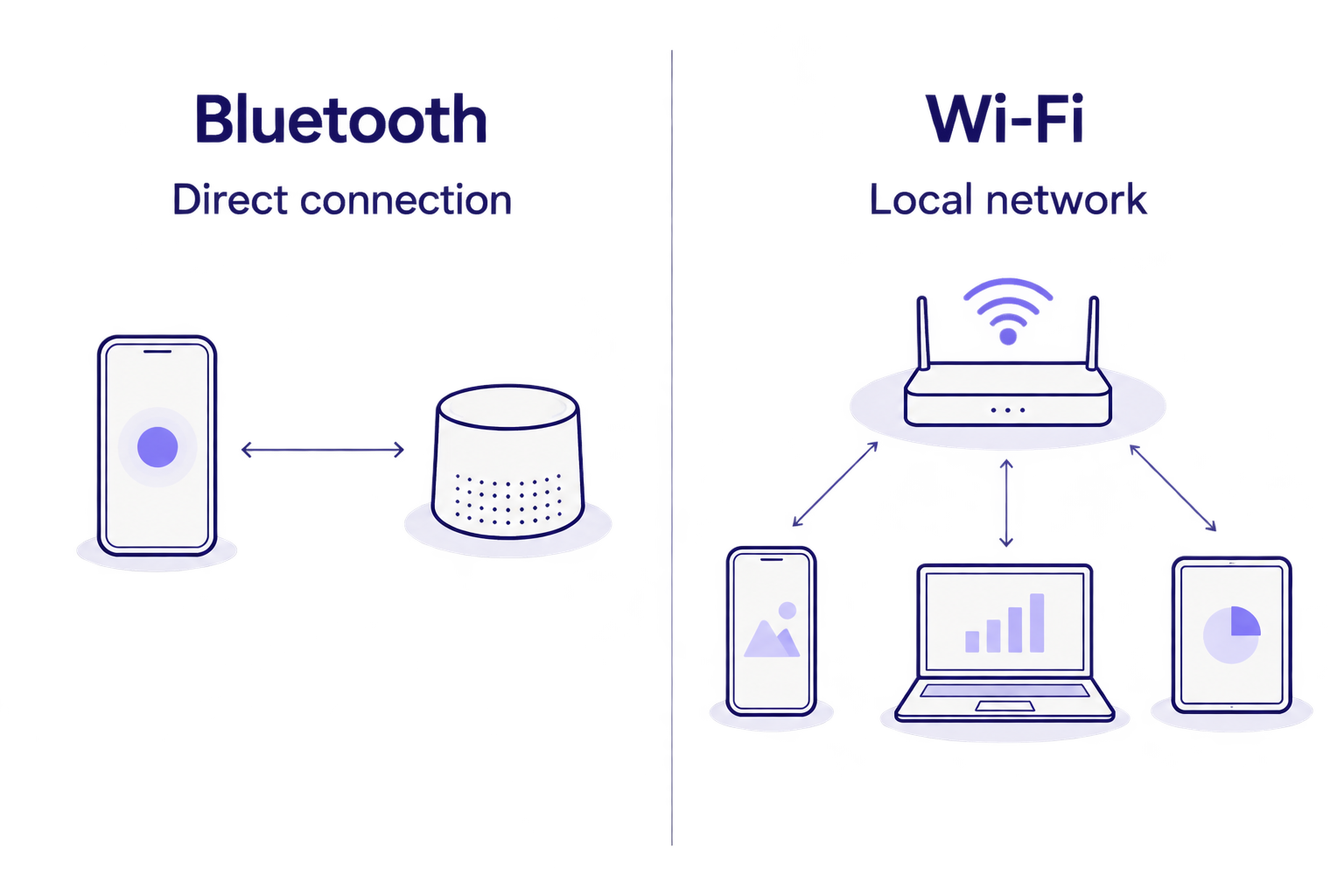
The distinction looks like this: Bluetooth provides a Direct connection, while Wi-Fi uses a Local network. Neither connection, by itself, tells you where the music comes from.
Bluetooth and Wi-Fi: check each mode separately
A speaker that explicitly supports both Bluetooth and Wi-Fi offers alternative ways to receive audio. You can use Bluetooth without a router, then use supported Wi-Fi functions when a network is available.
Best for: switching between network listening and direct phone playback. The drawback is that a feature available in one mode does not automatically work in the other.
For example, do not assume a network-based room grouping feature also works over Bluetooth. Check whether the manufacturer describes speaker grouping, stereo pairing, and voice control separately for each connection mode.
When browsing Pendazi electronics, use the model’s stated connection options as your starting point. A feature list that says only wireless does not answer whether the speaker works away from your router.
Auxiliary input: a cable can bypass wireless connections
A speaker with a compatible auxiliary input can receive audio through a cable instead of Bluetooth or Wi-Fi. A 3.5 mm audio input is one common example, but you must confirm that the speaker has an input rather than an output.
Best for: a direct connection when wireless pairing is unwanted or unavailable. The limitation is physical compatibility: your source device needs a suitable audio output or an appropriate adapter.
A cable does not give an app internet access. If you connect your phone by wire and open an online-only stream without mobile data or Wi-Fi, the speaker still has no audio to play.
Do not assume USB means audio playback, either. A USB port can be intended for charging, and support for computer audio or files on a USB drive must be stated separately.
Why wireless speaker operation varies
The same listening plan can work on one speaker and fail on another because their inputs and software requirements differ. Check these factors before choosing a speaker in 2026:
- Connection type: Bluetooth supports direct playback; Wi-Fi functions require a wireless network.
- Audio source: Downloaded files are local, while online streams need an internet connection.
- Initial setup: Check whether activation, an account, or an app is required before ordinary playback.
- Input support: Confirm whether an auxiliary or USB port actually accepts audio.
- Feature dependencies: Voice commands, online radio, and network grouping have separate requirements.
- Source compatibility: Your phone, computer, or tablet must support the speaker’s chosen input method.
Keep the distinction between plays audio and supports every feature. A speaker can play music over Bluetooth while its internet-dependent functions remain unavailable.
How do you connect a wireless speaker without Wi-Fi?
Use Bluetooth if both your source device and speaker support it. These steps test the entire listening setup rather than stopping at a successful pairing message.
- Check the input. Find Bluetooth in the speaker’s specifications or manual. Do not substitute a general wireless claim.
- Prepare the audio. Save a local file or download content through an app that supports offline playback. Confirm that the download has finished.
- Pair the devices. Put the speaker into Bluetooth pairing mode, open your phone’s Bluetooth settings, and select the correct device.
- Choose the output. If sound still comes from your phone, select the speaker as the active audio output.
- Test without internet. Turn off Wi-Fi and mobile data while leaving Bluetooth enabled, then play the saved audio.
- Test everyday controls. Try pausing, changing tracks, and adjusting volume before taking the setup elsewhere.
If the devices connect but nothing plays, test a local audio file. That helps distinguish an internet-dependent app problem from a speaker connection problem.
For travel, complete any required speaker setup and app sign-in before leaving. An offline test in 2026 should include the actual app and audio you plan to use, not just the phone’s connection indicator.
Can you stream music without Wi-Fi?
Bluetooth streaming from your phone works without Wi-Fi when the phone has mobile internet access. The phone receives the online audio and sends it to the speaker through Bluetooth.
That arrangement still uses mobile data. If you want listening without either Wi-Fi or mobile data, use locally stored audio or an app’s supported offline downloads instead.
Will a smart speaker work during an internet outage?
A smart speaker works during an internet outage only through playback methods that do not require the unavailable connection. Supported Bluetooth or wired inputs can provide an alternative, but you must confirm that the model includes them.
Do not count on internet-based voice requests to start playback. Test physical controls and any supported direct input while the internet is disconnected.
Can you use a phone hotspot for a Wi-Fi speaker?
A phone hotspot can provide a Wi-Fi network if the speaker supports that setup. Check the speaker’s setup instructions and whether your phone can manage the required configuration.
A hotspot that supplies internet access uses the phone’s mobile connection. It is not the same as offline listening, and its usefulness depends on reception, data access, and device compatibility.
What should you check before choosing a speaker?
Write down where you will listen and what will supply the audio. For a room with an established network, supported Wi-Fi features can be useful; for a picnic with downloaded music, Bluetooth addresses the more immediate requirement.
Pendazi is best for shoppers browsing electronics alongside other everyday goods. For a wireless speaker, narrow your choice using the stated inputs rather than assuming that marketplace categories establish technical compatibility.
Before ordering, find clear answers to these questions:
- Does the exact model support Bluetooth audio?
- Can you complete any necessary setup before going offline?
- Does your chosen app play its downloaded content without internet access?
- Is a cable input available if you need one?
- Which advertised features stop working without a network?
Keep power separate from connectivity. A wireless speaker still needs power from its supported source, and wireless audio does not establish that the speaker has a rechargeable battery.
FAQ
Can wireless speakers work without wifi or internet?
Yes, Bluetooth speakers can play without Wi-Fi or internet when the source device has playable local audio. A Wi-Fi-only speaker needs a supported alternative input to work without a wireless network.
Does Bluetooth use my mobile data?
Bluetooth itself does not use your mobile data connection. A music app uses mobile data when it retrieves online audio without Wi-Fi, even if Bluetooth carries that audio to the speaker.
Can I use a Bluetooth speaker in airplane mode?
Yes, if your phone allows Bluetooth to be enabled while airplane mode remains on. Play downloaded audio and follow any applicable rules for using wireless devices where you are.
Why is my speaker connected but not playing music?
A connected speaker can remain silent if the wrong audio output is selected, volume is muted, or the app cannot access its audio source. Select the speaker as the output and test a local audio file.
Do all smart speakers have Bluetooth?
No, smart speaker features do not establish Bluetooth audio support. Check the exact model’s listed inputs and distinguish Bluetooth audio playback from Bluetooth used for setup or accessories.
Can two wireless speakers play together without Wi-Fi?
Two wireless speakers can play together without Wi-Fi if their manufacturer supports a compatible direct linking or stereo pairing method. Bluetooth support alone does not guarantee that two speakers can play together.
Does a USB charging port let a speaker play music?
A USB charging port does not establish USB audio playback support. Check whether the manual explicitly supports computer audio or playback from USB storage.
One last thing
The most useful offline test is to remove internet access, not just Wi-Fi. A phone can silently switch to mobile data, making a streaming app appear to work offline when it is still connected.
Turn off both Wi-Fi and mobile data, leave Bluetooth enabled, and play your intended audio. If it works, you have checked the complete path from the saved content to the speaker—not just whether the devices pair.
Related guides
- Best smart home devices for beginners
- Best wireless chargers for iPhone and Android
- Best electronic gifts for teens
Discover more from Pendazi
Subscribe to get the latest posts sent to your email.







Add comment