

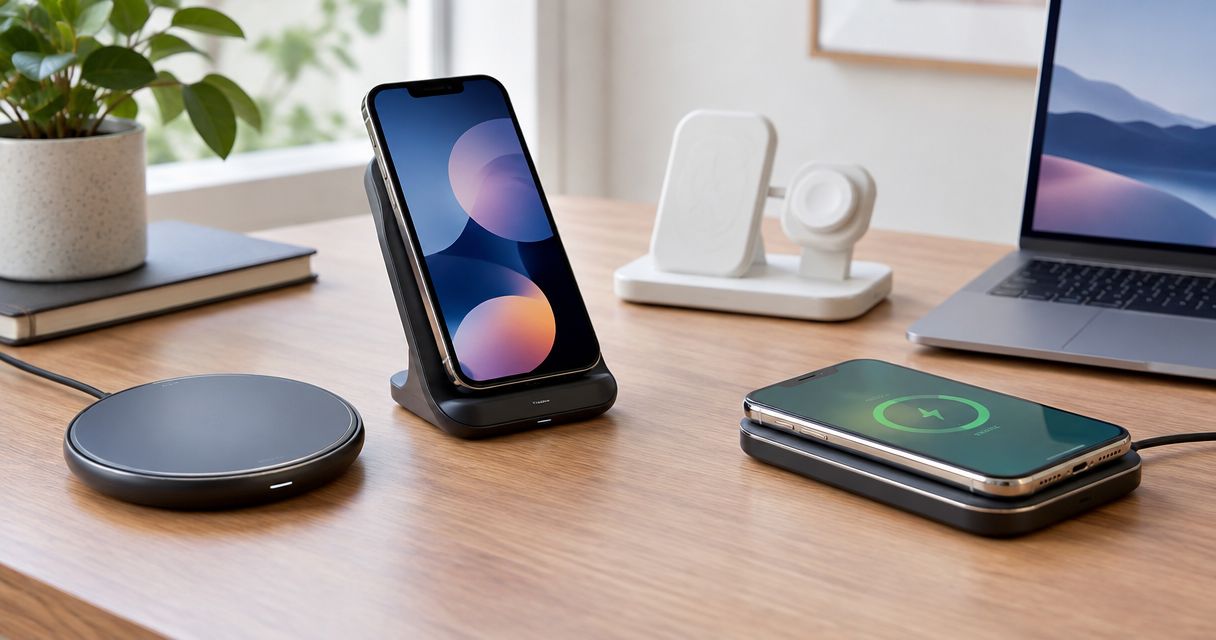
Best overall: a Qi2-certified magnetic stand for a compatible phone. Best for travel: a Qi2-certified magnetic pad. Best for nonmagnetic phones: a Qi-certified stand. Best for a shared charging spot: a Qi-certified flat pad. The best wireless chargers for iPhone and Android in 2026 depend on your exact phone, case, and power adapter—not just the brand on the box.
- The best wireless chargers for iPhone and Android match your exact phone, case, and power adapter.
- Choose a Qi2-certified magnetic stand for a compatible phone you use at your desk.
- Choose a Qi-certified flat pad for a shared charging spot; check every phone separately.
- Pendazi shoppers should distinguish phone wireless chargers from Apple Watch charging cables.
For shoppers browsing Pendazi, check the intended device before choosing any charging accessory. An Apple Watch charging cable, a USB-C cable, and a wireless phone charger serve different purposes; one does not substitute for another.
Why this matters
Wireless charging compatibility has several parts. Your phone must support wireless charging, the charger must support an appropriate charging standard, and the power adapter must meet the charger's input requirements.
Magnetic attachment adds another question: will the phone stay aligned? A case with a magnetic ring does not add wireless charging to a phone that lacks it, and an attached phone does not automatically receive the charger's maximum advertised power.
Choose compatibility first, placement second, and charging speed third. That order keeps a convenient-looking accessory from becoming the wrong purchase.
What makes the best wireless chargers for iPhone and Android?
Use these criteria to judge a wireless charger in 2026 before comparing shapes or finishes:
- Exact-model compatibility: Check your phone manufacturer's specifications, not just an iPhone or Android label.
- Charging certification: Look for the applicable Qi or Qi2 certification and verify the exact charger model through the Wireless Power Consortium's certification resources.
- Reliable alignment: Choose magnetic attachment for a supported magnetic setup, or a clearly defined resting position for a nonmagnetic phone.
- Case compatibility: Check the charger's case requirements and remove interfering metal accessories, cards, and grips.
- Complete power setup: Match the adapter and cable to the charger's stated input requirements. Do not assume every USB adapter works equally well.
- Useful placement: Pick a stand for viewing the screen and a pad when a flat resting position better suits your space.
A charger earns its place by meeting your needs across these criteria. A high output label alone does not establish compatibility, convenience, or real charging speed.
Best wireless chargers at a glance
These are charger-format recommendations, not individual product test results. Each format has a distinct job, and the order below follows the default recommendation through more specific uses.
| Charger option | Best for | Standout feature | Key limitation |
|---|---|---|---|
| Qi2-certified magnetic stand | A compatible phone used at a desk | Magnetic positioning with an upright screen | Requires a compatible magnetic setup and suitable case |
| Qi2-certified magnetic pad | Travel with a compatible magnetic phone | Flat charging format without a permanent upright stand | Does not hold the screen upright by itself |
| Qi-certified nonmagnetic stand | Wireless-capable phones without magnetic attachment | Upright charging without relying on a magnetic connection | Coil alignment depends on phone size and stand design |
| Qi-certified flat pad | A shared charging spot for different phones | Simple resting surface without a magnetic attachment requirement | Each phone needs careful placement and separate compatibility checks |
1. Qi2 magnetic stand: best for desk use
A Qi2-certified magnetic stand holds a compatible phone against an upright charging surface. It combines charging with a useful viewing position, so you can glance at the screen without lifting the phone from a flat pad.
This is the default recommendation for a desk, provided your exact phone and case support the setup. Choose the stand's viewing position around how you actually use your phone, rather than treating every upright charger as interchangeable.
Qi2 magnetic stand pros:
- Magnetic attachment helps position a compatible phone over the charging surface.
- An upright screen is easier to view while seated at a desk.
- A dedicated resting place keeps the charging position consistent.
Qi2 magnetic stand cons:
- Magnetic case compatibility needs checking separately from phone compatibility.
- A fixed stand is less convenient to pack than a simple pad.
- The stand's advertised output does not guarantee your phone receives that output.
Best for: A supported magnetic phone that stays beside your keyboard during the workday.
Before buying, check the base, viewing angle, cable routing, and supported phone orientation. Do not assume a stand supports landscape charging just because its charging surface is circular; the mount and phone clearance matter too.
Verdict: Buy a Qi2-certified magnetic stand for a compatible desk phone.
2. Qi2 magnetic pad: best for travel
A Qi2-certified magnetic pad brings magnetic positioning to a flat charging format. Choose this option when you want wireless charging without carrying a permanent upright stand.
For a 2026 travel setup, judge the entire kit rather than the pad alone. The cable, adapter, and any separate support all take space, and a flat charger still needs a suitable place to rest.
Qi2 magnetic pad pros:
- Magnetic positioning helps align a compatible phone.
- A flat format suits packing alongside other charging accessories.
- You can use it without dedicating desk space to an upright stand.
Qi2 magnetic pad cons:
- A pad does not provide an upright viewing position by itself.
- A short or fixed cable restricts where you can place the phone.
- Magnetic attachment still depends on the phone and case combination.
Best for: A compatible magnetic phone that travels between home, work, and overnight stays.
Check whether the cable detaches and whether the adapter matches the charger's requirements. Those details affect how the pad fits your existing kit; the word portable does not answer either question.
Verdict: Buy a Qi2-certified magnetic pad when packing convenience matters more than screen visibility.
3. Qi nonmagnetic stand: best for nonmagnetic phones
A Qi-certified nonmagnetic stand supports a wireless-capable phone on a ledge or cradle rather than relying on magnetic attachment. It is the practical upright option when your phone supports compatible wireless charging but lacks a suitable magnetic connection.
The important fit is between the stand's charging area and the phone's receiving coil. A phone resting securely on the ledge still needs correct charging alignment.
Qi nonmagnetic stand pros:
- It does not require magnetic attachment to support the phone.
- The upright format keeps the screen visible.
- A physical ledge gives you a repeatable starting position for alignment.
Qi nonmagnetic stand cons:
- Phone dimensions and coil position affect fit.
- A thick case or attached grip interferes with some designs.
- Landscape support requires an explicit compatibility check.
Best for: A wireless-capable nonmagnetic phone used for notifications or screen viewing at a desk.
Check the stand's supported phone dimensions and case guidance before choosing it. Avoid adding a magnetic accessory simply to make a different charger fit when a compatible cradle-style stand already meets your needs.
Verdict: Buy a Qi-certified nonmagnetic stand for upright charging without magnetic attachment.
4. Qi flat pad: best for a shared charging spot
A Qi-certified flat pad gives wireless-capable phones a surface to rest on without requiring magnetic attachment. It suits a shared counter or side table where different people leave their phones to charge.
Treat shared use as a compatibility checklist, not a universal promise. Every phone needs supported wireless charging, and each phone's case and placement affect the result.
Qi flat pad pros:
- It does not depend on a magnetic connection.
- A flat surface accommodates different phone shapes without an upright cradle.
- It provides a straightforward charging location when screen viewing is unimportant.
Qi flat pad cons:
- You must position each phone correctly over the charging area.
- The screen lies flat rather than facing you.
- A single-device pad does not charge several phones simultaneously.
Best for: A shared household charging location used by compatible phones at different times.
Choose a pad with a clear charging-status indicator and straightforward placement instructions. After setting down a phone, confirm charging on the phone itself rather than assuming contact with the pad means charging has started.
Verdict: Buy a Qi-certified flat pad for shared, sequential use—not automatic universal compatibility.
Check your phone, case, and adapter before buying
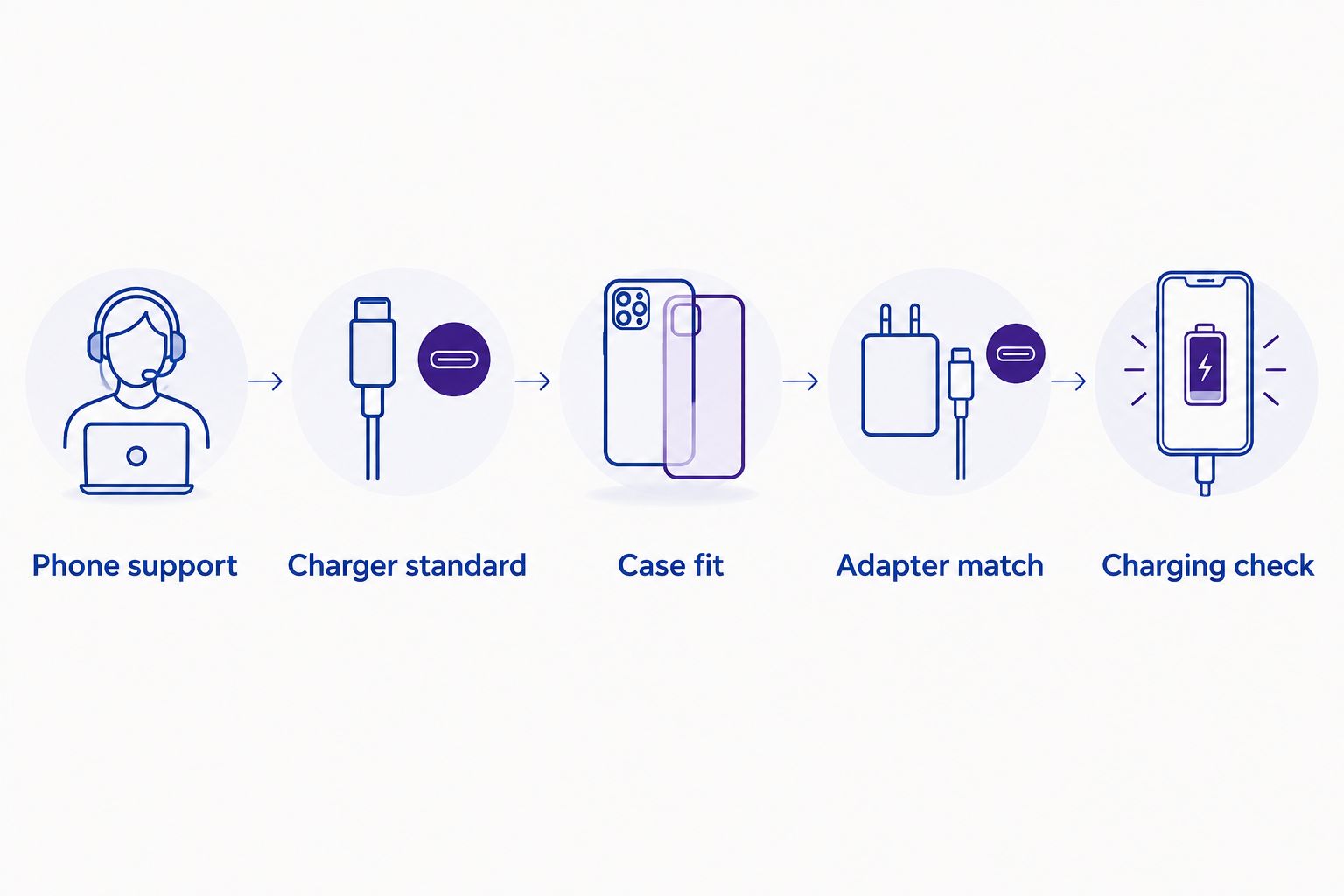
The strongest wireless-charger choice in 2026 starts with a short sequence. Complete these checks before deciding whether a stand or pad looks better on your table.
- Phone support: Find your exact phone model in the manufacturer's specifications and confirm wireless charging support.
- Charger standard: Match the charger's documented charging standard and compatibility to the phone.
- Case fit: Check the case requirements, including magnetic compatibility where relevant.
- Adapter match: Confirm the power adapter and cable satisfy the charger's input requirements.
- Charging check: After setup, confirm the phone reports charging and remains correctly positioned.
The sequence matters because later checks cannot repair an earlier mismatch. A suitable adapter does not add wireless charging to an unsupported phone, and magnetic attachment does not establish electrical compatibility.
Keep payment cards and metal accessories out of the charging area. If charging fails, remove the case and attached accessories as a troubleshooting step, then follow the phone and charger manufacturers' instructions.
Read output labels without assuming charging speed
A listing that says 5 W, 10 W, or 15 W describes a power figure, not a promise that every phone charges at that rate. The phone, charger, adapter, cable, alignment, and operating conditions all affect the result.
Distinguish the charger's input requirements from its wireless output specification. Buying an adapter with a larger wattage number does not force the phone to accept more wireless power.
For Pendazi wireless-charger shoppers, exact-model compatibility is more useful than a headline wattage. Compare documented support before using output figures to narrow the choice.
Separate phone chargers from watch accessories
An Apple Watch magnetic charging cable is a watch accessory, not a wireless charging pad for iPhone or Android. A magnetic connector alone does not identify a universal phone charger.
Multi-device designs need the same scrutiny. Check the phone charging surface and each accessory charging position separately; a station's compatibility with one device does not establish support for everything you own.
How the charger formats rank
The 2026 ranking prioritizes exact-model compatibility, certification, alignment, case fit, power requirements, and useful placement. The magnetic stand takes the default slot because it combines positioning with an upright screen for a supported phone.
The other formats answer different needs rather than competing for the same title. Travel favors the magnetic pad, nonmagnetic upright use favors the cradle-style stand, and shared sequential use favors the flat pad.
These are format-level recommendations, not claims about individual products' measured speed or durability. Check the exact model before turning a format preference into a purchase.
Which wireless charger should you choose?
Choose a Qi2-certified magnetic stand if your phone and case support it and you want a desk charger. It is the clearest default for readers who want both charging and an upright screen.
For Pendazi shoppers comparing wireless chargers for iPhone and Android in 2026, the next move is specific: identify your exact phone, confirm its charging support, then choose the format. Pick a magnetic pad for travel, a nonmagnetic stand for upright use without magnetic attachment, or a flat pad for a shared resting place.
Do not buy around a compatibility gap. If your phone lacks wireless charging, choose a suitable wired charging setup instead.
FAQ
What’s the best wireless charger for iPhone and Android in 2026?
A Qi2-certified magnetic stand is the default choice for a compatible phone used at a desk. Choose a magnetic pad for travel or a compatible nonmagnetic Qi charger when magnetic attachment is not suitable.
Can the same wireless charger charge an iPhone and an Android phone?
Yes, when both exact phone models support a charging standard supported by that charger. Check each phone separately, including its case and any magnetic attachment requirements.
Does a magnetic case add wireless charging to my phone?
No, a magnetic case does not add wireless charging capability to an unsupported phone. It changes attachment, not the phone’s internal charging hardware.
Is a wireless charging stand better than a pad?
A stand is better for viewing the screen while charging; a pad is better when you want a flat resting surface. Compatibility and alignment matter with either format.
Will a higher-wattage wireless charger charge every phone faster?
No, a higher advertised output does not guarantee faster charging for every phone. The phone’s supported charging mode, adapter, cable, alignment, and operating conditions affect actual charging.
Can I use an Apple Watch magnetic charging cable for my iPhone?
No, an Apple Watch magnetic charging cable is not an iPhone wireless charger. Choose a charging accessory explicitly intended for your exact phone.
Do I need to remove my case for wireless charging?
You need to remove a case if it interferes with the charger’s requirements or correct alignment. Check the case and charger instructions, and keep cards and metal accessories out of the charging area.
One last thing
An attached phone is not necessarily a charging phone. After placing your phone on a new charger, check the phone's charging indicator before leaving it there; that simple confirmation catches a placement problem before you discover an unchanged battery level.
Related guides
Discover more from Pendazi
Subscribe to get the latest posts sent to your email.






Leave a Reply