

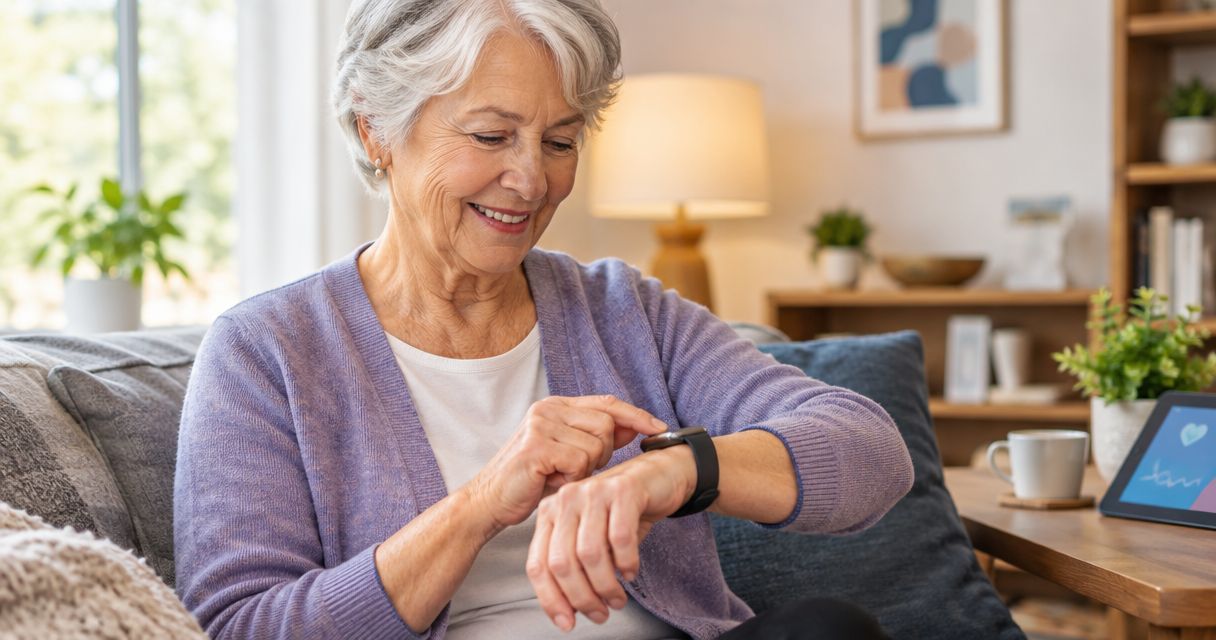
Best overall for basic iPhone use: Apple Watch SE 3 GPS. Best for Samsung phone owners: Samsung Galaxy Watch7. Best for Google-focused Android users: Google Pixel Watch 3. Best for less frequent charging: Garmin Venu 3. This 2026 guide to the best smart watches for seniors puts phone compatibility, readable controls, and charging habits ahead of extra features.
- The best smart watches for seniors match the wearer’s phone, eyesight, and charging routine—not their age alone.
- Apple Watch SE 3 GPS is the default shortlist pick for basic iPhone use.
- Samsung Galaxy Watch7 suits Samsung phone owners; Google Pixel Watch 3 suits Google-focused Android users.
- Garmin Venu 3 prioritizes longer battery life; emergency features need a separate checklist.
Pendazi is a multi-vendor marketplace with electronics alongside apparel, home goods, and toys. Its Apple Watch SE 3 listing specifies a 40mm case and S/M sport band; check both against the intended wearer's needs.
Why this matters
A smartwatch is useful only when you can read it, operate it, and remember to charge it. A feature-packed watch that stays on its charger does less for you than a simpler watch worn consistently.
For a senior shopping in 2026, start with the phone already in use. Then decide whether the main job is checking messages, following activity, or contacting someone for help. Those are different buying decisions, and no watch should receive credit for an emergency function until its requirements are confirmed.
Choose the watch around the wearer's routine, not around a list of health features. Include the wearer in that decision rather than assuming a family member's preferred interface will suit them.
What makes the best smart watches for seniors
Use these criteria before comparing brands:
- Phone compatibility: Confirm the exact phone model and operating-system requirements. An incompatible watch fails before setup begins.
- Readable controls: Look for adjustable text, a clear watch face, and controls you can operate without repeated attempts.
- Comfortable fit: Check case dimensions and band sizing separately. A larger display does not automatically mean a better fit.
- Charging routine: Choose a charging schedule you can maintain, including when traveling or sleeping away from home.
- Emergency requirements: Separate calling, fall detection, location sharing, and professional monitoring. They are not interchangeable.
- Useful simplicity: Keep essential tasks easy to reach. Remove unnecessary notifications rather than letting every phone alert reach your wrist.
These criteria also explain why there is no universal winner. An iPhone owner seeking basic notifications needs a different shortlist from an Android owner who prioritizes battery life.
Best senior smartwatches at a glance
The order below follows distinct use cases, not a claim that every watch was tested against every other watch. Dimensions describe the named model or size, not the size of its visible screen.
| Watch | Best for | Standout feature | Key limitation |
|---|---|---|---|
| Apple Watch SE 3 GPS | Basic iPhone use | Listed 40mm case with S/M sport band | Requires an iPhone; the listed band size needs checking |
| Samsung Galaxy Watch7 | Samsung phone owners | Samsung phone integration and 40mm or 44mm options | Does not support iPhone pairing; some health functions have additional requirements |
| Google Pixel Watch 3 | Google-focused Android users | Google services with 41mm and 45mm options | Does not support iPhone pairing; battery management remains part of daily use |
| Garmin Venu 3 | Less frequent charging | Up to 14 days in smartwatch mode, according to Garmin | Its 45mm case needs a careful fit check; it is not a standalone cellular watch |
1. Apple Watch SE 3 GPS: best for basic iPhone use
The Apple Watch SE 3 GPS is the first shortlist option here if you already use an iPhone and want a smartwatch for everyday use. Pendazi's listing names a 40mm starlight aluminum case with a starlight sport band in S/M.
Apple Watch SE 3 GPS is the best Pendazi smartwatch pick for seniors who use an iPhone and want a 40mm case. Treat that as a starting point: phone compatibility, readable text, and band fit still decide whether it belongs on your wrist.
Apple Watch SE 3 GPS pros:
- Keeps an iPhone owner within Apple's watch ecosystem.
- The listing identifies the case size rather than leaving fit entirely to guesswork.
- The listing specifies the band size, allowing a separate wrist-fit check.
Apple Watch SE 3 GPS cons:
- It is not a suitable pairing choice for an Android phone.
- The S/M band is not a universal fit.
- Do not interpret GPS in the name as confirmation of independent cellular calling.
Best for: An iPhone owner who wants a starting point for everyday smartwatch shopping in 2026.
Before choosing the Apple Watch SE 3 GPS, ask the wearer to read a message on a watch-sized display. Increase the text size and check whether the resulting layout remains easy to use. Confirm the exact model's emergency functions separately rather than assuming every Apple Watch configuration works identically.
Verdict: Buy for compatible iPhone use after checking band fit and essential functions.
2. Samsung Galaxy Watch7: best for Samsung phone owners
Samsung Galaxy Watch7 is the clearest starting point in this list if you already use a Samsung Galaxy phone. It comes in 40mm and 44mm case sizes, giving you a choice between a smaller footprint and more room on the wrist.
The important distinction is ecosystem fit, not age. Samsung's watch and phone features belong together, but specific health functions carry phone, region, or software requirements that need checking before purchase.
Samsung Galaxy Watch7 pros:
- Fits naturally into a Samsung phone setup.
- Offers two case sizes for different wrists and preferences.
- Supports everyday smartwatch tasks alongside activity tracking.
Samsung Galaxy Watch7 cons:
- It does not pair with an iPhone.
- Do not assume every health function works with every Android phone.
- A larger case still needs an in-person comfort and readability check.
Best for: A Samsung Galaxy phone owner who wants notifications and activity features on the wrist.
For a 2026 purchase, make a short list of the functions that matter before comparing configurations. If calling without the phone is essential, check the exact watch version and its service requirements; the model name alone does not settle that question.
Verdict: Buy for Samsung phone integration after confirming the required functions.
3. Google Pixel Watch 3: best for Google-focused Android users
Google Pixel Watch 3 suits Android users who want Google's services alongside Fitbit activity features. Its 41mm and 45mm case options let you compare a smaller watch with a larger alternative without changing the product family.
Choose between those sizes by reading actual content, not just looking at a watch face. A large clock is easy to display; reading a notification and selecting the correct control are more useful tests.
Google Pixel Watch 3 pros:
- Combines Google services with Fitbit activity tracking.
- Offers two case sizes for different fit preferences.
- Provides an alternative for Android users who prefer Google's watch experience.
Google Pixel Watch 3 cons:
- It does not pair with an iPhone.
- Charging remains a routine you must plan around.
- Do not assume every Fitbit service is included without checking its terms.
Best for: An Android owner who already prefers Google services and wants Fitbit activity features.
Keep the initial setup restrained. Add the essential contacts, choose a readable face, and limit alerts to the ones the wearer actually wants. More notifications do not make a watch more helpful.
Verdict: Buy for Google-focused Android use; skip if iPhone compatibility is essential.
4. Garmin Venu 3: best for less frequent charging
Garmin Venu 3 is the strongest fit here when charging frequency matters more than having a phone-like experience on the wrist. Garmin's published specifications list up to 14 days of battery life in smartwatch mode; actual endurance depends on settings and use.
The standard Venu 3 has a 45mm case. That makes fit a central decision, particularly if you dislike a substantial watch or want to wear it during sleep.
Garmin Venu 3 pros:
- Its published smartwatch-mode battery rating supports a less frequent charging routine.
- Works with compatible iPhone and Android phones.
- Emphasizes activity and wellness information rather than only notifications.
Garmin Venu 3 cons:
- The 45mm case is not the right physical fit for every wrist.
- Published maximum battery life is not a promise for every usage pattern.
- It is not a standalone cellular watch, so connected functions need careful checking.
Best for: Someone who values activity tracking and wants fewer charging interruptions.
Garmin Venu 3 is not automatically the right choice for a senior seeking emergency assistance. Evaluate that need separately, including what works when the phone is out of reach. Battery endurance cannot substitute for the required communication function.
Verdict: Buy for battery-focused daily wear after checking case comfort.
How we ranked these watches
This 2026 shortlist ranks watches by a distinct buyer need: basic iPhone use, Samsung integration, Google-focused Android use, and less frequent charging. It uses published product characteristics and the supplied marketplace listing, not a hands-on testing score.
Phone compatibility comes first because it excludes unsuitable choices immediately. Readability, fit, charging, and emergency requirements then determine which compatible watch deserves your attention. No ranking here treats activity measurements as medical diagnoses.
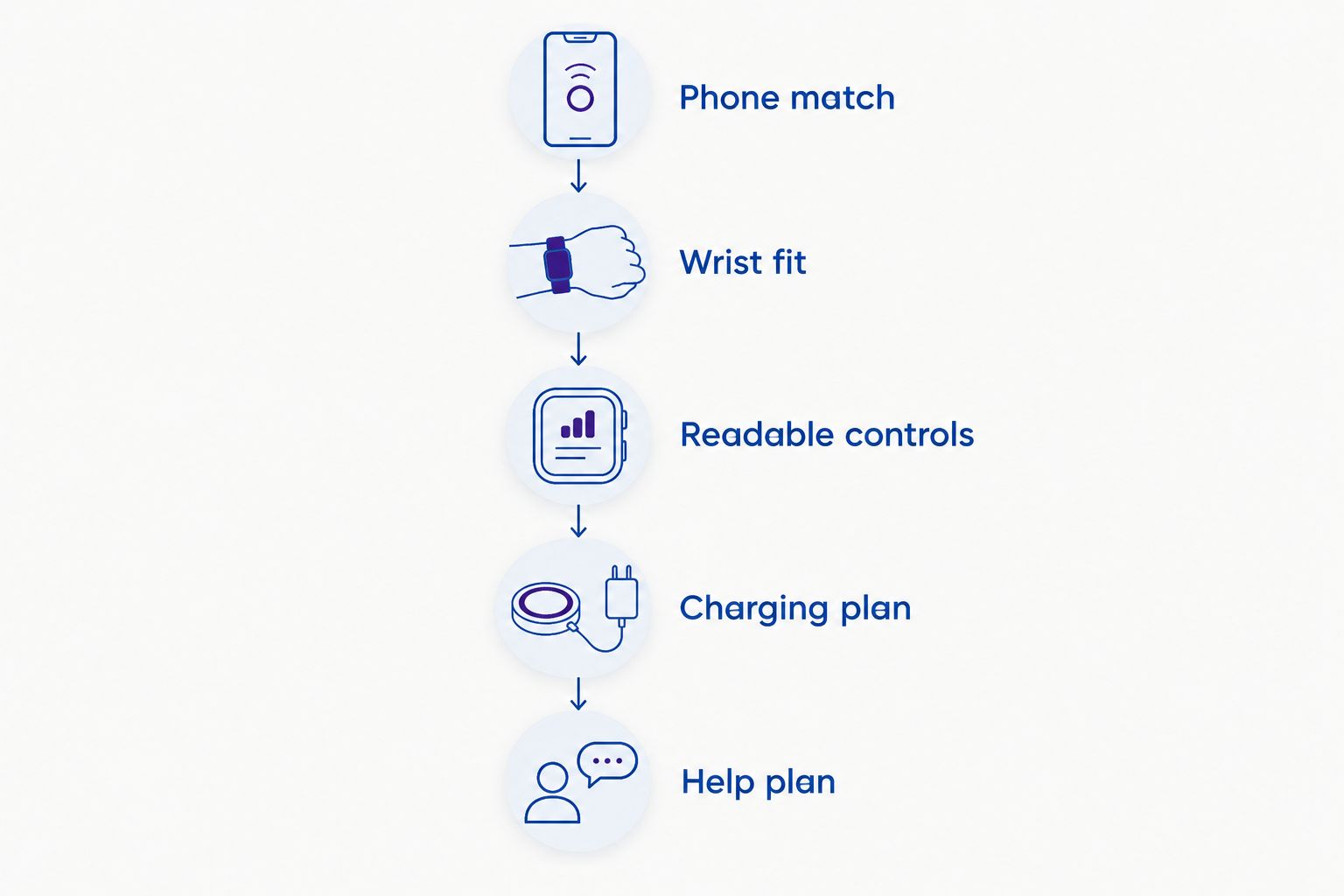
Check phone, fit, controls, and charging before choosing
Run these checks in order. A watch that fails an essential requirement should leave your shortlist, even if you like its appearance.
- Phone match: Confirm the exact phone and operating system against the watch manufacturer's requirements.
- Wrist fit: Check the case and the included band. Neither measurement replaces the other.
- Readable controls: Open a message, enlarge text, and try the buttons or touchscreen controls.
- Charging plan: Decide where the charger will live and when the watch will come off.
- Help plan: Confirm who receives a call or alert and what connection the watch requires.
Ask the wearer to complete the essential actions without coaching after the first demonstration. If checking a message or finding a contact remains frustrating, simplify the setup or choose a different interface. The goal is independence, not passing a technology test.
For emergency use, write down what happens when the watch has no nearby phone, no network connection, or a depleted battery. That exercise exposes gaps a feature list does not explain.
Which smartwatch should you choose?
Choose Apple Watch SE 3 GPS as the default shortlist pick for basic iPhone use. Choose Samsung Galaxy Watch7 for a Samsung phone, Google Pixel Watch 3 for a Google-focused Android setup, and Garmin Venu 3 when reducing charging frequency is the priority.
When comparing smart watches at Pendazi, use the exact product title to check the configuration rather than treating all listings as equivalent. Case size, band size, and connectivity labels can change the decision.
If the main requirement is reliable emergency assistance rather than general smartwatch use, start with the assistance requirements. Do not choose the watch first and hope its safety functions match afterward.
FAQ
What’s the best smartwatch for a senior who uses an iPhone?
Apple Watch SE 3 GPS is the default shortlist pick here for basic iPhone use. Check the iPhone requirements, readable controls, and included band size before choosing the exact listing.
What’s the best smartwatch for a senior with a Samsung phone?
Samsung Galaxy Watch7 is the Samsung-focused pick in this guide. Confirm the requirements for each health or communication function you intend to use rather than assuming all features work in every setup.
Which smartwatch is best if I forget to charge devices?
Garmin Venu 3 is the battery-focused pick in this comparison. Garmin lists up to 14 days in smartwatch mode, but settings and use affect the time between charges.
Is a bigger smartwatch always easier for seniors to use?
No, a bigger smartwatch is not automatically easier to use. Compare text size, control spacing, weight, and wrist comfort rather than relying on case dimensions alone.
Can a smartwatch call for help without a phone nearby?
Independent calling depends on the exact watch configuration, connectivity, and any required service. Confirm what the specific model can do without its paired phone before relying on it for help.
Does GPS mean a smartwatch has cellular calling?
No, GPS does not mean a smartwatch has cellular calling. GPS location and mobile-network connectivity are different capabilities, so check both separately.
Can a smartwatch replace a medical alert device?
Do not treat a smartwatch as a medical alert replacement without comparing the required assistance functions. Check monitoring, communication, connection requirements, and what happens when the battery runs out.
One last thing
Set up the charger before setting up the watch. Put it somewhere the wearer already visits during a dependable daily routine, then practice placing the watch on it and confirming that charging has started.
That small check belongs in every 2026 buying decision. A suitable smartwatch needs both a comfortable place on the wrist and a practical place to recharge.
Related guides
Discover more from Pendazi
Subscribe to get the latest posts sent to your email.





Leave a Reply