

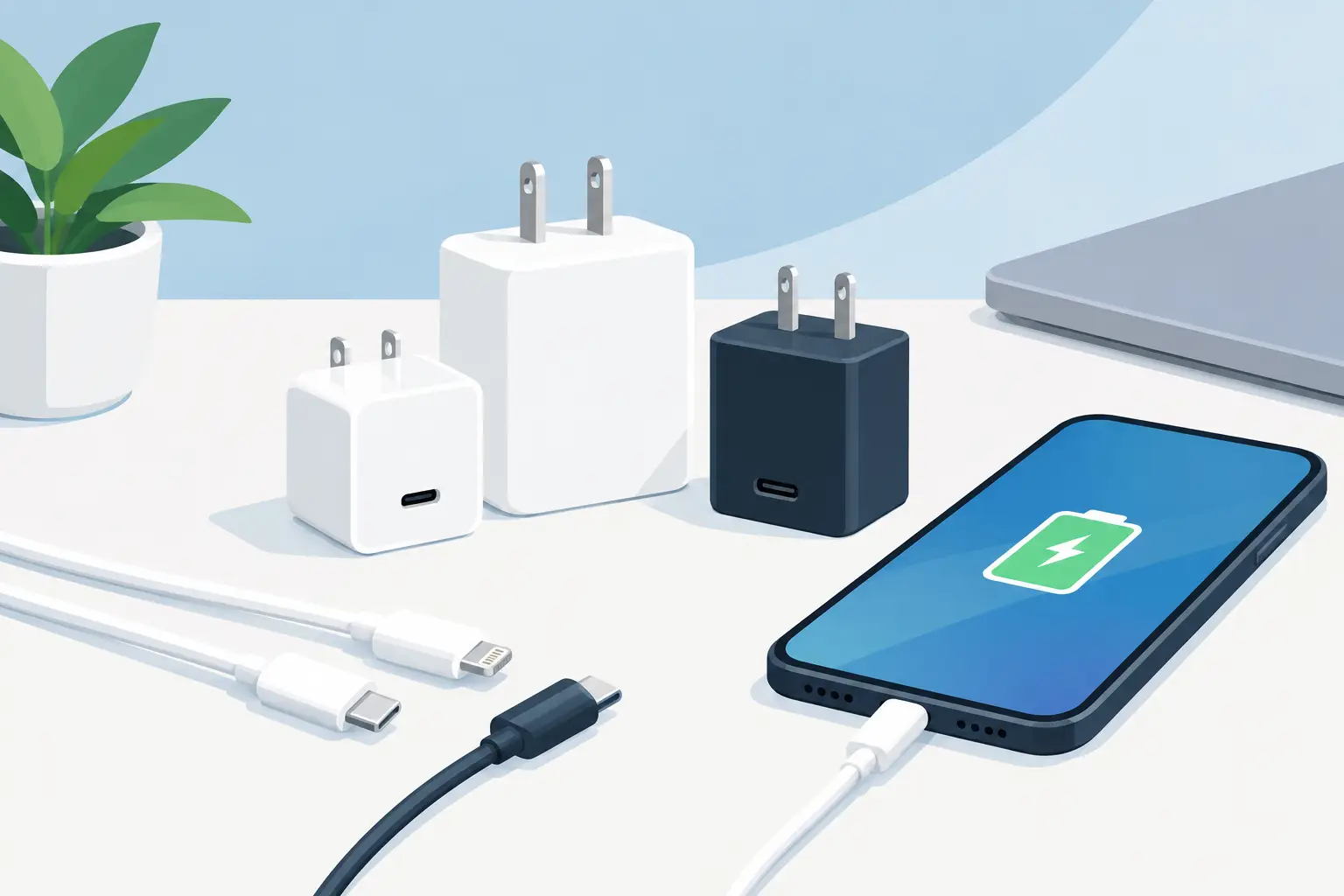
A charger that comes with your phone is easy to overlook – until it charges painfully slowly, takes over every outlet near the bed, or disappears right before a trip. This guide to choosing phone chargers cuts through the packaging claims so you can find the right power brick, cable, or wireless pad for your everyday routine without paying for features you will never use.
The best deal is not always the lowest-priced charger. A compact charger that works with your current phone, your next phone, and a second device can be a better value than buying separate adapters later. Start with compatibility, then compare speed, ports, size, and safety.
Start with your phone’s charging connection
First, check the port on your phone. Most current Android phones and newer iPhones use USB-C. Older iPhones use Lightning, while some older phones and accessories may still use Micro-USB. The connection determines the cable you need, but it does not automatically tell you how fast the phone can charge.
If your phone uses USB-C, a USB-C to USB-C cable is the most flexible choice for modern fast charging. It can also work with compatible tablets, earbuds, power banks, and laptops. For a Lightning iPhone, a USB-C to Lightning cable paired with a USB-C wall charger is usually the better route for faster wired charging than an older USB-A setup.
Before adding a charger to your cart, look at what you already own. A great price on a USB-A wall adapter is less useful if all your newer cables have USB-C ends. Matching your charger and cable now can save a last-minute replacement purchase later.
Guide to choosing phone chargers by wattage
Wattage, shown as W, is a measure of available power. It matters, but bigger numbers do not guarantee your phone will charge faster. Your phone controls how much power it accepts. A 65W charger will not force 65W into a phone designed to take 25W.
For many phones, a 20W to 30W USB-C charger is a practical sweet spot. It is powerful enough to support fast charging on many current models, small enough for daily use, and often priced well during electronics promotions. A 30W to 45W model can make more sense if you also want to charge a tablet or want extra room for a future device.
Higher-watt chargers earn their keep when they serve more than one job. A 65W or 100W charger may be worth the extra cost for someone who travels with a phone, tablet, and USB-C laptop. For a nightstand charger used only for one phone, however, that extra capacity may not add much value.
Fast charging also changes as the battery fills. A phone may charge quickly from a low battery, then slow down closer to full to manage heat and battery health. That is normal behavior, not necessarily a problem with the charger.
Look for USB Power Delivery and PPS
For USB-C charging, USB Power Delivery, often written as USB-PD or PD, is a widely used fast-charging standard. A PD charger is a smart all-around choice because it supports many current phones and other USB-C devices.
Some Android phones can benefit from Programmable Power Supply, or PPS. This feature lets compatible devices fine-tune voltage during charging and may support their fastest wired charging modes. If maximum speed is a priority for your specific Android model, check its recommended charging standard before choosing a charger. A high wattage rating without the right protocol may not deliver the result you expect.
Pick the right number of ports
A single-port charger is simple, compact, and ideal for a desk, bedside table, or everyday bag. It is also easier to understand because all of its stated power is available to one connected device.
Multi-port chargers are better for shared spaces and travel. One wall outlet can charge a phone, wireless earbuds, smartwatch, or tablet, which means fewer adapters packed into a suitcase. The trade-off is power sharing. When two or three devices are connected, the charger may divide its total wattage between ports.
Read the output details rather than relying on the biggest number on the box. A 65W three-port charger may provide enough power for several devices, but not necessarily 65W from every port at the same time. For a family charging station, choose more ports. For the fastest possible phone charge, a single USB-C PD port can be the cleaner choice.
Do not treat the cable as an afterthought
A cable can limit an otherwise excellent charger. Older, damaged, or low-capacity cables may charge more slowly, disconnect easily, or fail to support the fast-charging standard your phone uses.
Choose the connector combination your device needs, then consider length. A 3-foot cable is tidy for a car, desk, or power bank. A 6-foot or 10-foot cable gives you more freedom around a couch, hotel bed, or hard-to-reach outlet, although very long cables can be less convenient to carry.
Durability matters if you charge every day. Reinforced connector ends, braided outer layers, and flexible strain relief can be worthwhile for cables that get bent in backpacks, cars, and crowded outlets. Buy a spare cable for the places where charging matters most – one at home and one in your daily bag often prevents the scramble.
Wired versus wireless charging
Wireless charging is about convenience. Set your phone down, clear cable clutter from a nightstand, and grab it when you leave. It is especially useful for overnight charging, desks, and anyone who is tired of plugging in a cable several times a day.
Wired charging is usually faster and more efficient. It is the better option when your battery is low and you need power before heading out. It also lets you comfortably use your phone while charging, whereas a wireless pad requires the phone to stay positioned on the surface.
For compatible iPhones, magnetic charging accessories can help keep the phone aligned. Qi2 wireless chargers offer magnetic alignment for supported devices and accessories. Check your phone model and the charger’s stated compatibility, because wireless speed can vary widely. A low-cost wireless pad may be perfect for overnight use but disappointing when you need a quick afternoon top-up.
Choose safety and portability over gimmicks
Chargers handle electricity and heat, so unusually cheap, unbranded options with vague specifications are rarely worth the risk. Look for clearly stated output ratings, recognized safety testing marks such as UL or ETL where applicable, and a seller that provides real product details. Stop using a charger or cable that becomes excessively hot, has frayed insulation, bent connectors, loose ports, or a burning smell.
For travel, compact GaN chargers are worth considering. Gallium nitride technology allows many chargers to deliver strong power in a smaller body than older designs. They are convenient for carry-ons and crowded outlet strips, though a basic compact PD charger may be the better buy if you only charge one phone.
A foldable plug is useful for bags, while a flat charging pad can suit a bedside table. If you are shopping for a gift, a universal USB-C PD charger with a quality cable is generally more useful than a device-specific accessory – just confirm the recipient’s phone connection first.
Shop for the charger you will actually use
Think about where charging happens most: beside the bed, at work, in the car, or while traveling. A home setup may call for a multi-port charger and longer cable. A commuter may get more value from a compact 20W USB-C charger and a durable short cable. A household with mixed devices may benefit from a higher-watt PD model that reduces outlet clutter.
When comparing electronics deals, prioritize clear compatibility and reliable specifications over flashy promises. Pendazi shoppers can keep value front and center by choosing a charger that covers several daily needs instead of collecting adapters that only work in one place.
The charger you reach for should fit your devices, your space, and your schedule. Choose one that makes low-battery warnings less disruptive, then keep a spare cable where life tends to happen.
Discover more from Pendazi
Subscribe to get the latest posts sent to your email.






Leave a Reply