

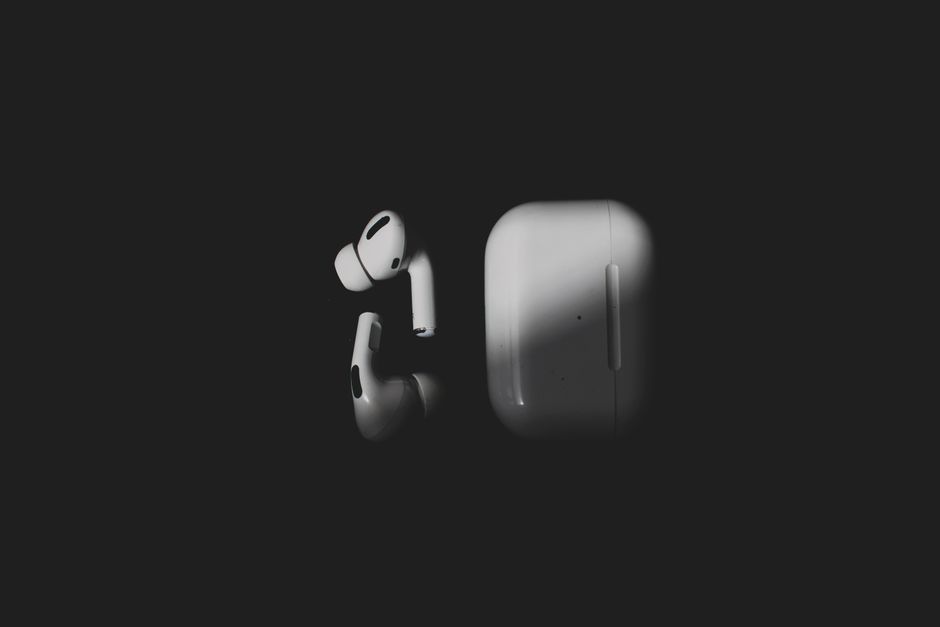
Wireless vs Bluetooth Headphones: Key Differences
If you’ve ever stood in the electronics aisle — or scrolled through an online store — trying to choose between two nearly identical-looking pairs of headphones, you’re not alone. The terms “wireless headphones” and “Bluetooth headphones” are often used interchangeably, but they don’t actually mean the same thing. Understanding the difference matters, because it affects everything from sound quality and battery life to which devices you can connect to and how much you’ll pay.
This guide breaks down exactly what separates wireless headphones from Bluetooth headphones, when each type makes sense, and what to look for when shopping in 2026.
What Are Wireless Headphones?
Wireless headphones are any headphones that don’t require a physical cable running from the earcups to your audio source. That’s the broad definition — and it’s intentionally broad, because “wireless” is an umbrella category that includes several different technologies.

The key point is that wireless headphones don’t transmit audio through a wire, but they may still use a small transmitter, a base station, or a proprietary radio frequency (RF) connection to receive sound. The audio signal travels through the air, not through copper.
Common examples of wireless headphones include:
- RF headphones — often used with home theater systems and TVs, transmitting over radio frequencies
- Infrared (IR) headphones — typically used in cars and some home audio setups, requiring a clear line of sight
- Kleer or proprietary wireless systems — less common today but still found in some specialized audio gear
- Bluetooth headphones — which are, technically, a subset of wireless headphones
So here’s the first big takeaway: all Bluetooth headphones are wireless, but not all wireless headphones are Bluetooth.
What Are Bluetooth Headphones?
Bluetooth headphones are a specific type of wireless headphone that uses Bluetooth technology to connect to devices. Bluetooth is a standardized wireless communication protocol — maintained by the Bluetooth Special Interest Group — that lets devices pair and exchange data over short distances, typically about 30 feet (10 meters) in open spaces.

Because Bluetooth is a universal standard, Bluetooth headphones can connect to an enormous range of devices: smartphones, tablets, laptops, smart TVs, gaming consoles, smartwatches, and even some fitness equipment. This universality is why Bluetooth has become the dominant wireless audio technology for consumer headphones.
Bluetooth headphones come in several form factors:
- Over-ear headphones — large earcups that surround the ear
- On-ear headphones — earcups that rest on the ear
- In-ear headphones (earbuds) — small buds that sit in the ear canal
- True wireless earbuds — two independent buds with no connecting wire at all
Modern Bluetooth headphones also support codecs like SBC, AAC, aptX, and LDAC, which affect audio quality and latency. Recent versions of Bluetooth — including Bluetooth 5.3 and 5.4 — have improved connection stability, power efficiency, and range considerably compared to older generations.
The Core Difference: Standard vs. Category
The simplest way to think about the difference is this: wireless is a category, and Bluetooth is a standard within that category.

It’s similar to the relationship between “vehicle” and “car.” A car is a vehicle, but not every vehicle is a car — there are also trucks, motorcycles, and buses. In the same way, Bluetooth headphones are wireless headphones, but wireless headphones can also use RF, infrared, or other proprietary technologies.
That distinction isn’t just semantic. It has practical consequences. If you buy a pair of RF headphones designed for a home theater system, they won’t pair with your smartphone. If you buy Bluetooth headphones, they’ll work with virtually any modern device that has Bluetooth — which, in 2026, is nearly all of them. The same logic of comparing two similar-seeming categories applies across many tech products, much like the difference between a toaster oven and an air fryer.
Wireless vs. Bluetooth: A Practical Comparison
| Feature | Wireless Headphones | Bluetooth Headphones |
|---|---|---|
| Connection method | RF, IR, or proprietary wireless | Bluetooth standard |
| Device compatibility | Often limited to specific transmitters | Works with most Bluetooth-enabled devices |
| Range | Varies; often longer for RF | Typically 30–100 feet depending on version |
| Audio quality | Can be excellent, especially for TV audio | Varies with codec and Bluetooth version |
| Latency | Often low for RF systems | Low with modern codecs; still an issue for some gaming |
| Portability | Usually home-based | Highly portable |
As you can see, Bluetooth headphones win on versatility and portability, while traditional wireless headphones (especially RF models) may still have advantages in specific home audio setups where range and low latency matter.
Why the Confusion Exists
In everyday conversation, most people say “wireless headphones” when they actually mean “Bluetooth headphones.” That’s because Bluetooth has become so dominant in consumer audio that it’s essentially the default wireless technology. When you see a pair of over-ear headphones advertised as “wireless” in 2026, there’s a very strong chance they’re Bluetooth.
However, the confusion can cause real problems. Someone shopping for headphones to use with an older TV, a home stereo system, or a specialized audio device might assume any “wireless” pair will work — only to discover it uses a proprietary transmitter that isn’t compatible with their setup.
The reverse is also true: a shopper looking for headphones to use with a smartphone might accidentally buy an RF model designed for home use, which won’t pair with their phone at all.
Battery Life and Charging Considerations
Both wireless and Bluetooth headphones rely on batteries, but the demands differ.
Bluetooth headphones need power for both the Bluetooth radio and the audio processing. Battery life varies widely — from around 5 hours for small true wireless earbuds to 40+ hours for over-ear models with larger batteries. Many Bluetooth headphones also include a quick-charge feature that gives you a few hours of playback from a short charge.
RF and infrared headphones typically draw power from either rechargeable batteries or, in some cases, non-rechargeable batteries. Because RF transmission can be more power-hungry, some home audio wireless headphones come with a charging dock or base station that doubles as a stand.
If battery life is your priority, look for Bluetooth headphones with a stated playtime that exceeds your longest listening session — and remember to factor in features like active noise cancellation (ANC), which can drain the battery faster.
Sound Quality: Does Bluetooth Hold You Back?
For years, audiophiles dismissed Bluetooth as inferior to wired audio. That criticism has softened considerably. Modern Bluetooth codecs like LDAC and aptX Adaptive can transmit high-resolution audio that most listeners can’t distinguish from wired sound in real-world conditions.
That said, Bluetooth is still a compressed audio format in most cases, which means some data is lost in transmission. For casual listening, podcasts, and streaming, this is rarely noticeable. For critical listening or studio work, wired headphones still have an edge — but that’s a different comparison entirely.
Traditional wireless headphones (RF and IR) can also deliver excellent sound quality, particularly in home theater setups where the audio source is stationary and the transmitter is purpose-built for the system.
Which Should You Choose?
The answer depends entirely on how you plan to use your headphones.
Choose Bluetooth headphones if:
- You want to connect to a smartphone, tablet, or laptop
- You need portability for commuting, travel, or workouts
- You want to pair with multiple devices easily
- You value features like ANC, voice assistants, and touch controls
Choose traditional wireless headphones if:
- You’re setting up a home theater or TV audio system
- You need very low latency for watching video
- Your audio source uses a specific wireless transmitter
- You want a dedicated, stationary listening setup
For the vast majority of people in 2026 — especially those listening on phones and computers — Bluetooth headphones are the practical choice.
Where Style Meets Sound
Headphones have become as much a fashion statement as a functional device. Major fashion publications now regularly cover audio accessories alongside apparel, and the aesthetic choices matter. If you’re curious how audio gear fits into broader style trends, Vogue frequently features wearable tech in its coverage of modern accessories.
And if you’re someone who uses headphones to wind down before sleep — whether for meditation, white noise, or audiobooks — getting the right fit and comfort level is essential. The Sleep Foundation offers guidance on how audio and environmental factors affect sleep quality, which is worth considering if you regularly listen in bed. Just as matching the right skincare products to your routine matters, choosing the right audio gear for your lifestyle comes down to understanding what works best for you — something explained well in this guide to daytime skincare products for 2026.
Conclusion
The difference between wireless headphones and Bluetooth headphones comes down to one key distinction: wireless is the broad category, and Bluetooth is one specific technology within it. All Bluetooth headphones are wireless, but not all wireless headphones use Bluetooth.
For most everyday users, that distinction won’t change much — Bluetooth headphones are versatile, widely compatible, and available in every style and price range. But understanding the difference helps you avoid buying the wrong pair for your specific setup, whether that’s a gym bag, a home theater, or a bedside table.
When you’re ready to explore options, look for headphones that match your devices, your listening habits, and your comfort preferences. The right pair is the one that fits seamlessly into your daily life.
Discover more from Pendazi
Subscribe to get the latest posts sent to your email.






Leave a Reply